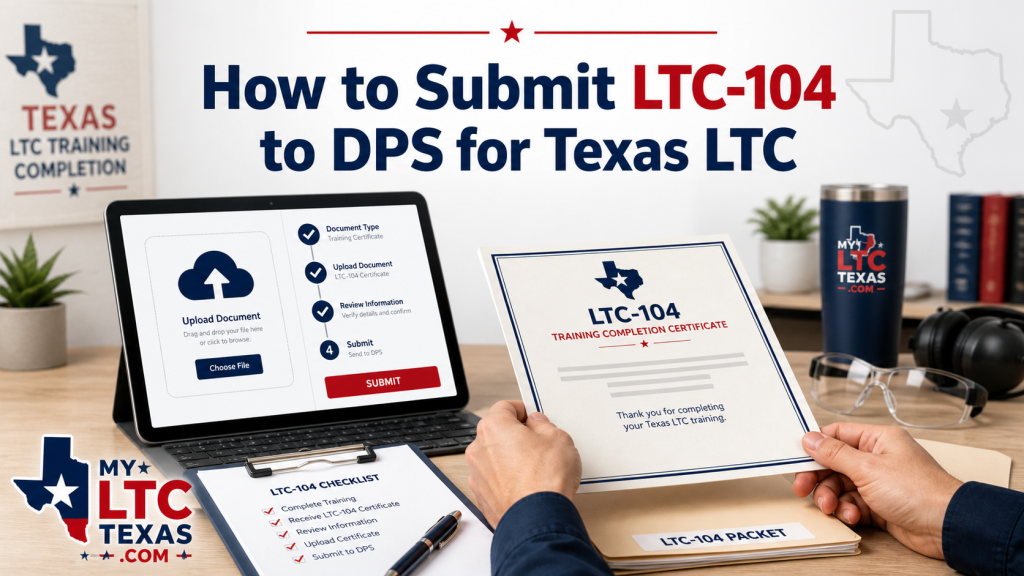
If you finished your Texas LTC training, your next big step is submitting your LTC-104 Form to Texas DPS.
The LTC-104 is the current Texas License to Carry handgun training certificate. It documents your online or classroom training and, when required, your range instruction and handgun proficiency demonstration.
This form is important because DPS uses it as part of your supporting documents for your Texas LTC application. If the form is missing, incomplete, blurry, or submitted before your application is started, your license can be delayed.
What Is the LTC-104 Form?
The LTC-104 Form is the current Texas handgun training certificate for License to Carry applicants.
DPS lists the LTC Handgun Training Certificate as LTC-104 on its official forms page. DPS special condition pages also refer to the Handgun Training Certificate – LTC-104 as the certificate received from an LTC Handgun Instructor or Online Course Provider upon course completion.
The big thing to know: the old LTC-100 and LTC-101 forms were replaced by the LTC-104 for current training. So if you are applying now, make sure you are submitting the LTC-104, not outdated paperwork.
Step 1: Complete the Texas LTC Application First
Before uploading your LTC-104, you generally need to submit your Texas LTC application.
The DPS document upload/contact page says you must submit your License to Carry application before uploading supporting documents. If you have not submitted an application, DPS redirects you to the License to Carry handgun application site.
A simple order is:
- Complete your online LTC application.
- Pay the required DPS fee.
- Schedule fingerprints.
- Complete your LTC training.
- Get your LTC-104 completed.
- Upload or submit your supporting documents to DPS.
Texas.gov says applicants should apply online, pay required fees, attend required training, pass the written and firearm proficiency exams unless exempt, submit supporting documents, and follow fingerprinting instructions.
Step 2: Make Sure Your LTC-104 Is Fully Completed
Before you submit your LTC-104 to DPS, review it carefully.
Check for:
- Your full legal name
- Correct driver license or ID number
- Correct state of ID issuance
- Online/classroom completion information
- Range instruction information, if required
- Handgun proficiency demonstration information
- Instructor name and number
- Online Course Provider information, if applicable
- Required signatures
- Correct completion dates
If you took the online class with MyLTCTexas, remember that the online classroom portion is only one part. DPS says online LTC training is classroom only. After passing the online classroom portion, applicants must complete 1 to 2 hours of range instruction and demonstrate handgun proficiency with a Texas Qualified LTC Instructor.
That means many original applicants need both the online/classroom portion and the range portion documented before submitting the LTC-104.
Step 3: Scan or Photograph the LTC-104 Clearly
Your LTC-104 needs to be readable.
Before uploading, make sure:
- The whole page is visible
- No corners are cut off
- The image is not blurry
- There is no glare or heavy shadow
- All signatures are visible
- All dates are readable
- The file is the correct document
- The upload is not sideways or upside down
A clear PDF scan is usually best. A phone photo can work if it is sharp, well-lit, and shows the entire form.
Step 4: Upload the LTC-104 Through DPS
DPS points applicants to the RSD Contact Us/document upload page for License to Carry document processing. That page says uploading documents is faster and easier for processing your LTC.
When using the DPS upload system, be ready to confirm that you have already submitted your LTC application or have an existing application on file.
You may need information such as:
- Your name
- Date of birth
- Driver license or ID number
- Application details
- Contact information
- The supporting document file
Follow the prompts carefully and upload the completed LTC-104 as a supporting document.
Step 5: Keep a Copy for Your Records
After submitting your LTC-104, keep a copy.
Save:
- A digital copy of the completed LTC-104
- The original paper copy, if you have one
- Any confirmation number or email from DPS
- Your fingerprint appointment confirmation
- Your LTC application receipt
If DPS asks for additional information later, having your records ready can save time.
Common Mistakes When Submitting the LTC-104
Avoid these mistakes:
- Uploading the LTC-104 before submitting the LTC application
- Submitting an incomplete form
- Missing the instructor signature
- Missing the range portion when it is required
- Uploading the wrong file
- Uploading a blurry photo
- Using old LTC-100 or LTC-101 language for new training
- Forgetting fingerprints
- Assuming MyLTCTexas replaces the in-person range requirement
That last one matters. MyLTCTexas helps you complete the online classroom portion conveniently from home, but original LTC applicants still need the range instruction and handgun proficiency demonstration with a Texas Qualified LTC Instructor unless they qualify for an exception.
How MyLTCTexas Helps
If you are searching for the best online Texas LTC class or best LTC class in Texas, MyLTCTexas gives you a clear and convenient way to start.
You can complete the online classroom training from home, then complete the required range instruction with a Texas Qualified LTC Instructor near you. This works for students in Houston, Dallas, Austin, San Antonio, Fort Worth, El Paso, Corpus Christi, Lubbock, McAllen, Waco, Killeen, Amarillo, Tyler, Midland, Odessa, and across Texas.
The clean path is:
- Start online with MyLTCTexas.
- Finish the range portion locally.
- Get your LTC-104 completed.
- Upload your supporting documents to DPS.
Final Answer
To submit your LTC-104 to DPS, first complete your Texas LTC application. Then make sure your LTC-104 is fully completed, clearly scanned or photographed, and uploaded through the DPS RSD document upload/contact system as a supporting document.
Review everything before submitting. A clean, complete LTC-104 can help prevent avoidable delays in your Texas License to Carry application.